


Buying a Virtual Private Server (VPS) is easy. Managing it? That's where most beginners hit a wall. Without a control panel, you're stuck typing Linux commands for every task—creating databases, adding domains, setting up email accounts, and configuring firewalls. But with the right control panel, your VPS transforms from a command-line maze into a user-friendly dashboard. Among the many options available in 2026, Plesk stands out as the most versatile, business-friendly choice, offering cross-platform support and professional-grade features that make VPS management accessible to everyone.
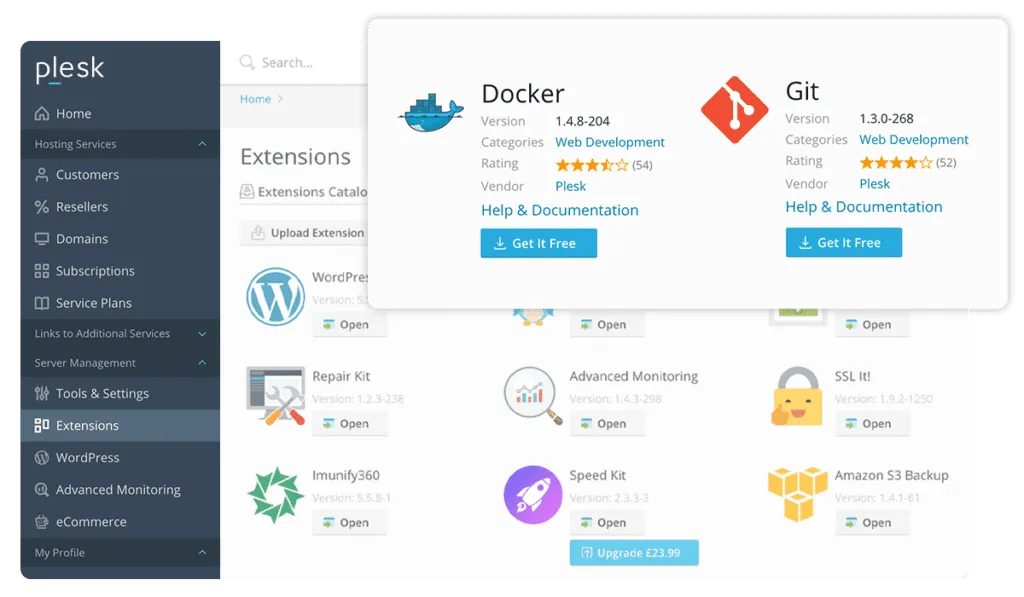
The Interface That Speaks Your Language (and Your Server's)
Plesk has earned its reputation as one of the most widely used VPS hosting control panels in 2026, and for good reason. Unlike some panels that lock you into a single operating system, Plesk supports both Linux and Windows servers—a flexibility that's rare in the hosting world. This means you're not forced to choose your OS based on your control panel; you choose the OS that fits your needs, and Plesk adapts.
Features That Save Hours of Work
Under the hood, Plesk packs a toolkit that handles the tasks that would otherwise eat up your weekend. The WordPress Toolkit lets you install, configure, and secure WordPress sites with a few clicks, while the built-in Let's Encrypt integration automatically provisions and renews SSL certificates, so your sites stay secure without manual intervention. For developers, Plesk includes Git integration, Docker support, and multiple PHP versions—tools that make staging, testing, and deployment feel like a breeze rather than a battle.
Why It Beats the Free Alternatives
Free panels like CyberPanel, aaPanel, and Webmin exist, and they're popular for good reasons. But they often come with trade-offs: less polished interfaces, gaps in documentation, and no professional support when things go wrong. Plesk's paid model brings dedicated support, regular security updates, and a modern interface that works just as well for beginners as it does for seasoned sysadmins. For businesses hosting critical websites, that peace of mind is worth the license cost.
Some VPS providers even bundle Plesk at no extra charge. Fasthosts, for example, includes Plesk free with every VPS hosting plan, making it a particularly compelling option. Hostinger also offers Plesk as a pre-installed template on its VPS plans. Before committing, it's worth checking whether your chosen VPS provider includes Plesk in their offering—it could save you a licensing fee.

Who Is Plesk Best For?
If you're a developer juggling multiple projects, Plesk's Git and Docker integrations streamline your workflow. If you run a small business or agency managing multiple client sites, the reseller features and multi-domain management keep everything organized from a single dashboard. And if you're new to VPS entirely, Plesk's intuitive interface helps you avoid the steep Linux learning curve while still maintaining full server control.
The Bigger Picture: VPS Control Panels in 2026
Plesk sits in a crowded field. cPanel remains the old guard, popular with hosting providers and agencies. CyberPanel offers a free alternative with OpenLiteSpeed, ideal for WordPress enthusiasts. aaPanel provides a comprehensive Linux toolkit at a fraction of the cost. DirectAdmin is lightweight and resource-efficient, perfect for lower-spec VPS deployments. But when you factor in cross-platform support, developer tools, and a polished user experience, Plesk consistently comes out ahead for professional use cases.